Monday, April 11, 2011

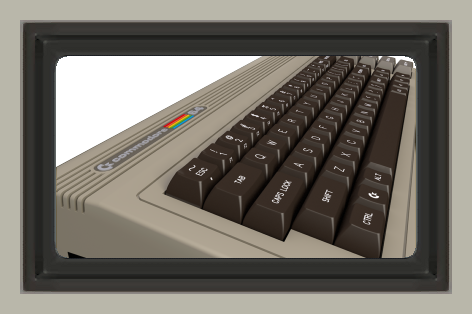
Commodore 64 Re-Released!

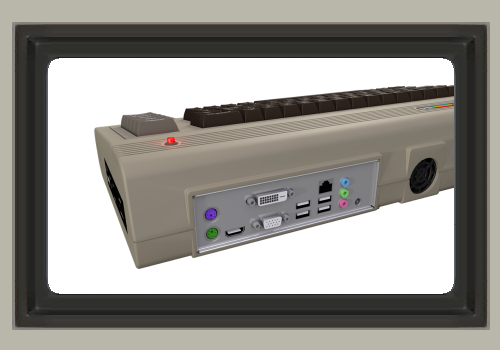
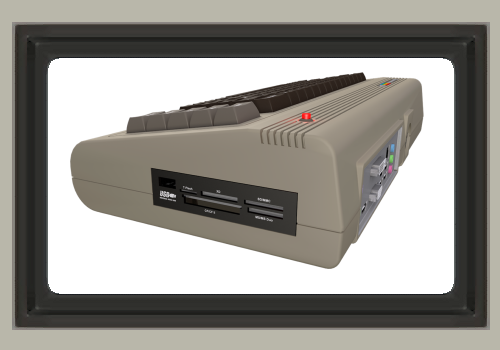
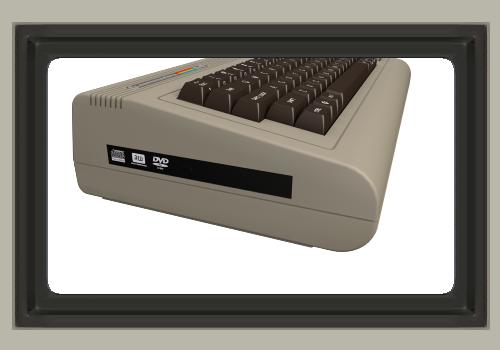
Commodore USA has recently developed and released a re-make of the old-school Commodore system. The system has been designed with some new 21st century features in mind, such as a DVD/RW drive, or even a Blu-Ray drive [depending on which configuration you order], and also a multi-card reader!


The new system currently comes bundled with the Ubuntu 10.04 LTS Operating System, and the Commodore 64 OS that is currently in development for the system will be mailed to the buyer as soon as it becomes available. The system contains a modern mini-ITX PC motherboard, with a Dual Core 525 Atom processor and the latest NVidia Ion2 graphics chipset.


For more information on the new system, click here.

To look at the different configurations available, or to look into ordering one, click here.

Friday, April 8, 2011

Real Snail Mail: E-mails Delivered At The Speed of A Snail


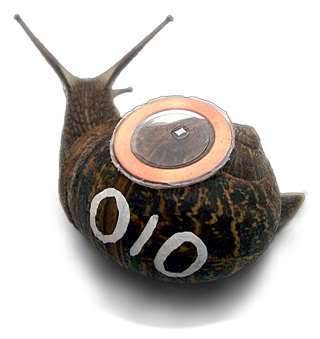
You may have heard someone refer to their "snail mail" before, as they patiently waited for an e-mail to come through, but that was just a nickname. The folks down at boredomresearch took the phrase a bit too literally, and have created the internet's first ever E-mail service run by snails. 

At RealSnailMail, when you send a message, the message is immediately sent to their servers, and assigned a snail. Once assigned, the message is transfered over into a small memory unit attached to the back of the snail via a circuit and antennae. The Snail will be on the receiving side of the enclosure when the message is assigned to it, and once the message is copied over, the snail is released. Once it reaches the other side of the enclosure, the mail is transferred back to the servers, and delivered to the recipient; hence the speed of a snail.


The project has been an educational project to inspire creative minds to think beyond the norm in regards to technology. A good portion of the snails were collected by the children from Castle Hill Community Primary School in Folkestone, and the drawings from the children were used on the Snail Profile Page. This is definitely one of the more creative and funny projects I have seen in technology to date.

Wednesday, April 6, 2011

"Please tap your phone here to pay, sir."

With today's technology making a move towards mobility, and the market for smartphones growing everyday, cellphones are gaining new features, updates, and models at a higher rate than ever before. Apps are being developed everyday with new useful, entertaining, or even silly purposes. With all of these mobile technological advances, the promise of a new standard that may be implemented in the near future has revealed its-self; mobile payments. Not mobile payments as in buying something over an eBay app on your iPhone, and paying for it using PayPal over your 3G connection, but as in paying for something at a gas station or restaurant.


Yes, mobile phones are now looking to gain the technology to replace Credit and Debit cards!

Using a technology known as N.F.C. (Near Field Communication), the phone would be able to send a short-range wireless signal to the N.F.C. reader, which would then process the payment. The chip designed to send the N.F.C. signals are being designed by Qualcomm, a well known company that innovates in Wireless and Mobile technology. If you have a newer phone, and look on the back cover, there's a good chance you'll see the name Qualcomm etched right above "3G CDMA".

When can we expect to see this technology emerge? There is no official date, only the news that it is in the works; thus it may be some time before we will see it first hand. Right now, both Apple and Google are planning to develop and incorporate the technology into the iPhone, and Android devices.

Monday, March 14, 2011

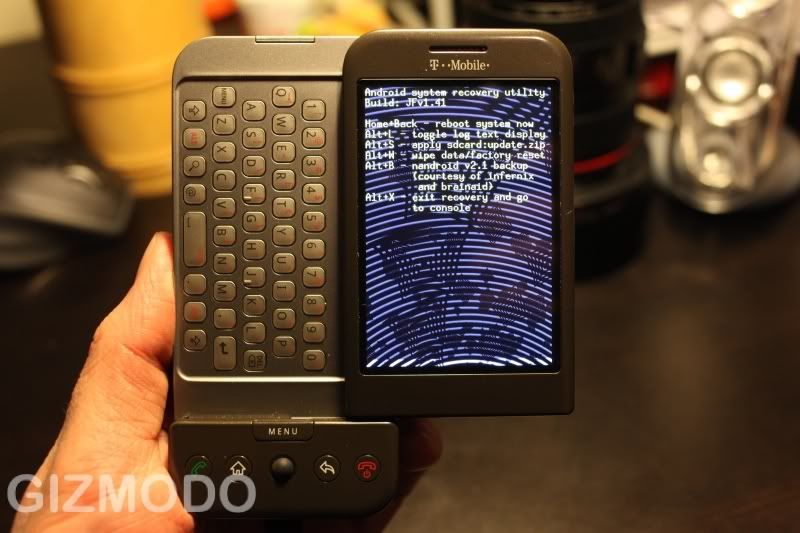
How To Avoid Mal-ware On Your Android Phone


Most who own an Android phone may have recently seen in the news that new malware is appearing, targeting Android users. Google's App market for Android phones allows for developers to publish their newly designed android apps without having to be reviewed first, [unlike Apple's app store]. This has opened a lot of windows for developers, as well as a new one for hackers.

A new scare recently came up known as the "DroidDream" Trojan. Certain Apps were pirated, copied, and then re-constructed with malicious code within them, then put back on the Android market with similar names to the originals. If a user installed one of these apps mistakenly, once installed, the code would take over the user's phone, basically turning it into a paperweight [or staying hidden in some cases instead], while allowing the developer of the app to access all of the information on it, and take full control.

Google has since restored the effected phones to working order, and patched them to be immune if exposed to the Trojan once more. Also, Google removed the apps from the app store. This should serve Android users as a reminder that things like this can happen if you're not careful. Similar threats are quite possible in the future.

Here are some simple tips you can use to make sure you do not fall prey to malicious apps!


1) Check the name of the developer

If you're not sure, a surefire way to find out if the developer you're downloading from is legitimate or not is to check their name. If they have a name like "Iam21090402" or "grwowl2010" for example, there's a good chance the app you're looking at could be malware.


2) Check the description and screenshots

Another way to know whether or not the developer is trusted is to check the screenshots, and description. In the recent string of malware that was put on the store, the screenshots were simply pictures of the logo used for the app, instead of an actual screenshot of the interface of the app. Also, if the description doesn't look legitimate, or is non-existent, you will want to double-check on the app's credibility.


3) Research it

If you're not sure if the app is safe, and have tried both of the previous steps, another measure you can take is to look it up online, by searching it on Google, or otherwise on the internet using your computer. Read some user reviews, and see what people had to say about it.


4) Download latest Android OS updates as soon as you know them to be available


Patches, and OS updates are extremely important, as aside from fixing glitches and issues, they also address security vulnerabilities. Having the latest Android OS is a good way to make sure you're up to speed and protected from all of the latest malware app threats.

----

When installing an app, the user has to choose to install it before it will install. This goes for all apps, and therefore for the malware to get onto your phone, you will have to allow it's installation by mistake. That's why these steps will definitely come in handy when trying to determine what is safe, and what isn't on the app store.

Also, if you're uncertain of the integrity of an app, feel free to contact us on twitter, by tweeting @CompsultInc with the name of the app, or via direct message, and we will gladly look into it for you!
Thursday, March 10, 2011

Bluetooth Jacking


Something unknown to most, that has in fact been an epidemic for quite sometime among hackers, technological pranksters, and people of the like, is Bluetooth Jacking. You may be wondering what is meant by this? What exactly is Bluetooth Jacking? What does it involve? Fear not! Your questions are about to be answered.

Bluetooth Jacking is a form of hacking that takes place over Bluetooth. It's primary targets are mobile phones, and smartphones. It has been around since the mid 2000's, and has been popular amongst hackers across the globe.

Bluetooth Jacking is a technique that involves exploiting vulnerabilities in Bluetooth devices to get into them, such as mobile phones, smartphones, etc. Bluetooth is a small range network type, primarily used for headsets, file transfer, and other phone-related devices/functions. It operates over low power radio waves, which can range up to 30 yards in signal. The frequency Bluetooth operates is known as the ISM band. 

Bluetooth technology has stayed the same over time for the most part, therefore, the security has not changed much either. Using a computer with a functioning Bluetooth signal output, hackers can use custom designed software, or tools from their arsenal to hack into your phone as soon as it is discovered. Typically sitting in an airport, coffee shop, or other local, heavily occupied area, they'll set to work. Once in, they can use your phone to do a various number of things. They can make calls, send SMS Messages, access the web, and even pull your contact list from your phone, getting the information of anyone on your phone that you have entered.

While this may seem frightening, there is one surefire way to avoid this happening to you. If you don't use it, simply go into your mobile device's settings, and turn off your Bluetooth discovery [which is typically on with most phones].

Here is a video showing you an example of a way hackers can use this exploit to scam you:


Tuesday, March 8, 2011

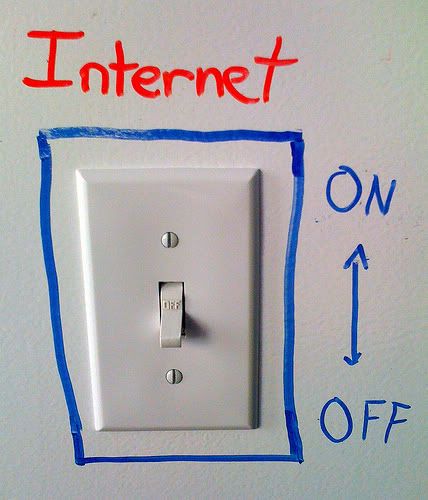
The Internet Kill Switch


[Note: This was written with an article via TechCrunch as it's source. You can read the original article here.]


Recently, in both Egypt, and now Libya, governments have decided to shut down the entire internet for their country. This not only fueled protests already occurring in said countries, but also arose the question, if our government wanted to shut down the internet completely to prevent a cyber-terrorist attack, or just in general to do so, would they be able to do so?


To turn off the internet in Egypt, the government simply forced their Internet Service Providers to shut down their servers. In Libya, the internet was still up, but the traffic allowed through it was throttled down to 0, so nothing could go in or out. Theoretically speaking, if the United States Government wanted to, they could simply force all of the major Internet Service Provides offline, but what they may have in the works is much simpler.


A new bill was been proposed, known as the "Internet Kill Switch" bill [even though those words are not included anywhere in the bill] some time ago. It has since stirred up a good amount of controversy, and in an attempt to make it more acceptable to the American people, it has been revised, and given the name “Cybersecurity and Internet Freedom Act of 2011" Early this year. [PDF]


While this bill has yet to be passed, and differs quite a bit from the original bill, it's still a great controversial subject in may conversations nowadays, as everyone contemplates the idea. It's main advocates; Joseph Lieberman, and President Barrack Obama are pushing the issue still, with it as one of their main hopes for the future.


Something most people are unaware of, however, is the fact that the President already has the power to turn off the internet. This power has been around for a long time, and derrives from the Communications Act of 1934. A section in it [702] gives the president the ability to, in the event of war, “cause the closing of any facility or station for wire communication” without warning. [PDF]


This topic in general has spawned a good amount of debate as to whether or not it is constitutional, or fair to the people. Do you think it's a good idea to have an "Internet Kill Swith" type option for the nation, in the event of a cyberterrorist attack? If you would like to discuss the topic in General, feel free to visit our forums, and talk with the community about it. Tell us what you think!


The current thread we have open for this discussion can be found here although you are welcome to start your own threads, and post wherever you like. See you on the boards!

Friday, March 4, 2011

IP Addressing - How To Count In Binary

"There are 10 kind of people in this world. The kind that know binary, and the kind that don't."
It's likely that you've heard the common fact that binary is a language computers, and other digital devices use to function, made up of only 1's and 0's. This is true! Have you ever wondered how it works though?

Here is a simple way to count in binary, that most I.T. Professionals have to use when subnetting a network.

There are 8 digits [bits] that you will use for most the most common form of binary counting.

00000000

Each bit has a value.


To give the bit a value, you simply change the digit to the number 1.
For example,

00001000 = 8
01000000 = 64
00000001 = 1
00000011 = 3

-and so on.

You may have noticed, with this method, you can only count up to 255.

That is because 255 is the maximum value representable in a standard 8 digit binary number.

To further explain subnetting, and it's relation to binary, and this post, an article will be written at a later date. When it has been written, this post will be updated with a link to it.

To read more on Internet Protocol Addresses, click here