Types Of Viruses
Viruses all have different strings, and different names as they come out. New viruses come out daily, and there are so many different ones out there. In this article, the second of three, we will be identifying a few of the basic types of viruses not by specific names, but by nicknames given to them by their functions.
Why are viruses created?

When you think of viruses, you may wonder where they come from, and what they are for. Viruses are written by hackers, crackers, and programmers; some for specific purposes, but most with the intent to drive you crazy and as a sort of prank.
Below are listed the different kinds of viruses you will run into, and what they were designed specifically to do.
Restricted Access; Lockout Virus

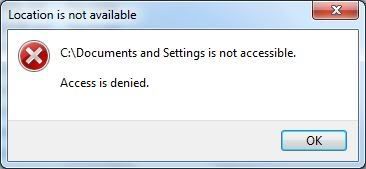
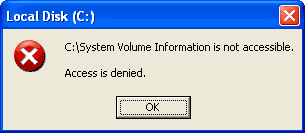
This virus typically locks you out of your system, restricting access to your personal folders, desktop, control panel, task manager, and a slew of other things. It won't allow you to do much of anything. While it has you locked out, in the background, it is doing even more damage, and possibly even pulling personal data back to the creator such as online banking information, usernames, passwords, etc.
Why would someone make something this aggravating? More often than not, this virus is designed as a prank, to frustrate the user. Other times, it is designed to keep the user from being able to find a way to disable the virus while it searches for information, or does more damage to the computer.
Imposter Trojan [Fake Software]

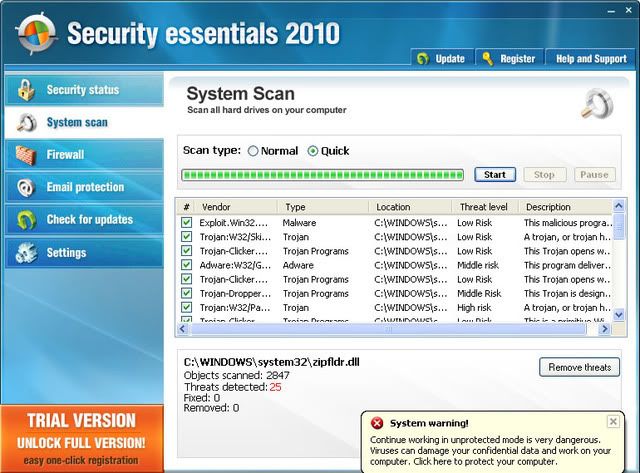
This virus installs a fake program, and adds it to the startup entries, so whenever your computer starts it loads. It usually comes in the form of a fake anti-virus client, which pretends to scan your computer and tells you that it is full of Trojans, then prompting you to buy the software to remove them. The program it's self is the virus.
This virus is made for two purposes. Firstly, it is created to annoy the user to no end. Secondly, it is set up to scam the user, hoping that they will be foolish enough to believe that the software is real, even though they did not put it on the system themselves. It then takes your credit card information after you have entered it in to pay for the "full version".
Web Browser Specific Viruses

This is a very generalized category, as there are many different types of viruses that could fall under that title, but we will elaborate on some of the more common ones in this section.
Sometimes toolbars can cause this, as there are fake toolbars that would fall under the previous category in this article. Those toolbars cause your browser to have problems, log where you go, change your settings, or just slow you down in general. If you install a toolbar, always make sure you know where it's from, and that you actually want it on your system before installing it.
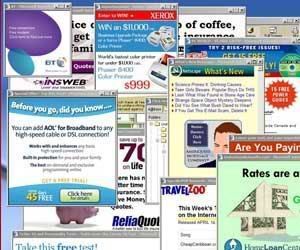
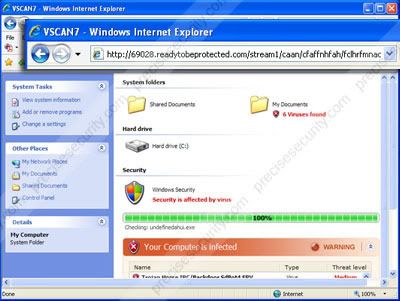
Another kind of virus that can make it's way onto your computer causes pop-ups to continuously come out of nowhere. It is a Trojan that stores in the temporary internet files [usually], and triggers pop-ups, which can either be false ads, or more viruses making their way on to your computer. You may also notice your home page has changed randomly on it's own.
While these viruses can be mostly browser specific, they may also be part of a greater virus, that expands beyond Internet Explorer, Firefox, etc. to drive you crazy. It may also be changing your personal settings on your computer, or it may even be this virus with a combination of others.
RAT [Remote Access Trojan]

A remote access Trojan allows the creator of the Trojan to see everything you are doing, control your computer remotely, and make changes to your registry, settings, etc.
Everything that you do, they see. Your cursor might start moving on it's own, and programs, folders, etc. may begin to open on their own. Strange things will happen. The hacker is basically either going to toy around with you, or search for for personal information.
These kinds of viruses are created as pranks, to snoop around on people, and to steal personal information/data.
Worms

This is a term that has been around for many years. Most people know a worm as a virus that eats away at your hard drive, and that basically is the case. A worm will slowly pick away at your registry [or quickly], and damage it, or key files needed to run your operating system and/or programs.
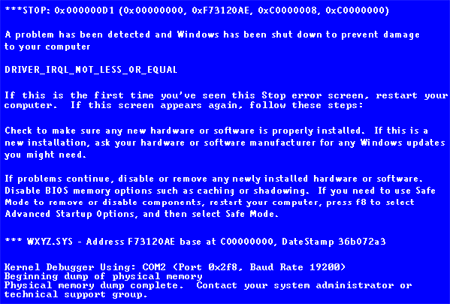
The basic effect is a slower computer, with lots of crashing [unless you have a powerful worm, in which case your computer may stop working a bit more instantaneously, or quickly]. Slowness in your computer does not always mean a virus though, so be sure to run a virus scan if you suspect one.
Why are viruses created?

When you think of viruses, you may wonder where they come from, and what they are for. Viruses are written by hackers, crackers, and programmers; some for specific purposes, but most with the intent to drive you crazy and as a sort of prank.
Below are listed the different kinds of viruses you will run into, and what they were designed specifically to do.
Restricted Access; Lockout Virus

This virus typically locks you out of your system, restricting access to your personal folders, desktop, control panel, task manager, and a slew of other things. It won't allow you to do much of anything. While it has you locked out, in the background, it is doing even more damage, and possibly even pulling personal data back to the creator such as online banking information, usernames, passwords, etc.
Why would someone make something this aggravating? More often than not, this virus is designed as a prank, to frustrate the user. Other times, it is designed to keep the user from being able to find a way to disable the virus while it searches for information, or does more damage to the computer.
Imposter Trojan [Fake Software]
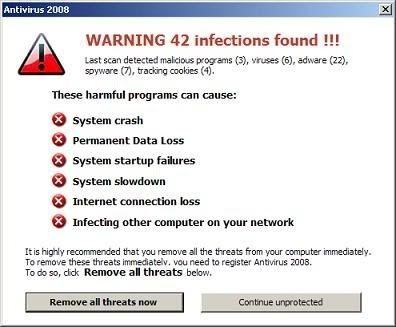
This virus installs a fake program, and adds it to the startup entries, so whenever your computer starts it loads. It usually comes in the form of a fake anti-virus client, which pretends to scan your computer and tells you that it is full of Trojans, then prompting you to buy the software to remove them. The program it's self is the virus.
This virus is made for two purposes. Firstly, it is created to annoy the user to no end. Secondly, it is set up to scam the user, hoping that they will be foolish enough to believe that the software is real, even though they did not put it on the system themselves. It then takes your credit card information after you have entered it in to pay for the "full version".
Web Browser Specific Viruses
This is a very generalized category, as there are many different types of viruses that could fall under that title, but we will elaborate on some of the more common ones in this section.
Sometimes toolbars can cause this, as there are fake toolbars that would fall under the previous category in this article. Those toolbars cause your browser to have problems, log where you go, change your settings, or just slow you down in general. If you install a toolbar, always make sure you know where it's from, and that you actually want it on your system before installing it.
Another kind of virus that can make it's way onto your computer causes pop-ups to continuously come out of nowhere. It is a Trojan that stores in the temporary internet files [usually], and triggers pop-ups, which can either be false ads, or more viruses making their way on to your computer. You may also notice your home page has changed randomly on it's own.
While these viruses can be mostly browser specific, they may also be part of a greater virus, that expands beyond Internet Explorer, Firefox, etc. to drive you crazy. It may also be changing your personal settings on your computer, or it may even be this virus with a combination of others.
RAT [Remote Access Trojan]
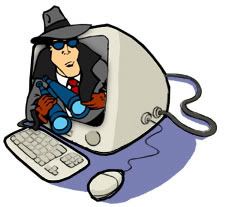
A remote access Trojan allows the creator of the Trojan to see everything you are doing, control your computer remotely, and make changes to your registry, settings, etc.
Everything that you do, they see. Your cursor might start moving on it's own, and programs, folders, etc. may begin to open on their own. Strange things will happen. The hacker is basically either going to toy around with you, or search for for personal information.
These kinds of viruses are created as pranks, to snoop around on people, and to steal personal information/data.
Worms
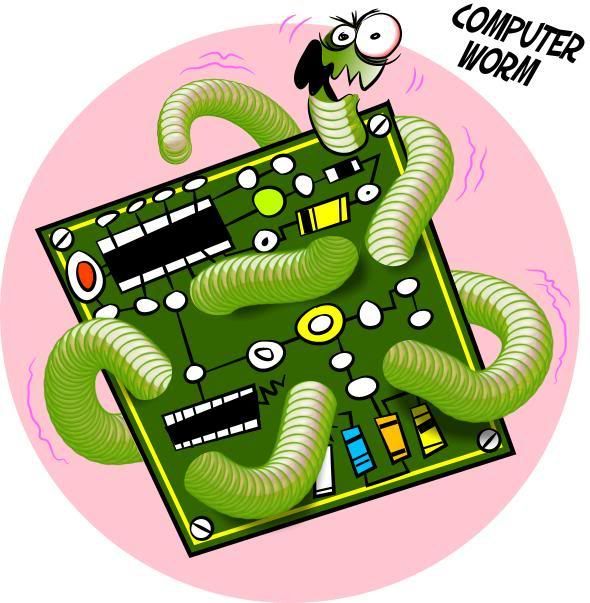
This is a term that has been around for many years. Most people know a worm as a virus that eats away at your hard drive, and that basically is the case. A worm will slowly pick away at your registry [or quickly], and damage it, or key files needed to run your operating system and/or programs.
The basic effect is a slower computer, with lots of crashing [unless you have a powerful worm, in which case your computer may stop working a bit more instantaneously, or quickly]. Slowness in your computer does not always mean a virus though, so be sure to run a virus scan if you suspect one.